Shirelda Script: A Modern Calligraphy Font with Elegance and Flexibility
Looking for a font that brings sophistication to your designs without feeling outdated? Shirelda Script is a modern calligraphy font that combines elegance with a dynamic baseline, making it perfect for creative professionals who want to stand out. Whether you're designing a logo, crafting wedding invitations, or creating eye-catching social media graphics, this premium display font offers the right balance of style and readability.
Elegant Style Meets Modern Design
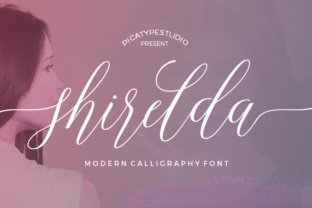
Shirelda Script stands out with its flowing lines and graceful curves, giving your text an artistic feel that feels both handcrafted and professional. Unlike traditional serif fonts, which can appear formal or rigid, Shirelda Script has a more relaxed and expressive character. Its moving baseline adds visual interest, allowing each letter to appear as if it's being written in real time.
This script font has a personality that’s both approachable and refined. It’s not too ornate, so it won’t overwhelm your design, but it’s also not too simple, meaning it won’t get lost in the background. The result is a typeface that feels fresh and contemporary—ideal for projects that need a touch of class without sacrificing clarity.
Where Shirelda Script Works Best
The versatility of Shirelda Script makes it suitable for a wide range of applications. Here are some of the most effective ways to use it:
- Headings and Titles: Use it for blog posts, magazine articles, or website headers to add a unique and stylish look.
- Logos and Branding: Incorporate it into logos or brand elements where a personal and elegant touch is needed.
- Wedding Invitations: The soft, flowing style of Shirelda Script complements the romantic and celebratory nature of wedding stationery.
- T-Shirts and Merchandise: It works well on clothing, especially when paired with clean sans-serif fonts for contrast.
- Social Media Graphics: Perfect for Instagram posts, Facebook banners, or Pinterest pins that need a visually appealing headline.
Enhancing Readability and Visual Hierarchy
While many script fonts can be difficult to read at smaller sizes, Shirelda Script maintains good legibility even when scaled down. This makes it a great choice for subheadings, callouts, and other elements that need to be easily scannable.
Its distinct character helps establish a clear visual hierarchy, drawing attention to key messages without overwhelming the reader. When used as a display font, it can serve as a focal point, guiding the viewer’s eye through the design in a natural way.
Pairing Shirelda Script with a complementary sans-serif font like Montserrat or Lato can create a balanced layout. This combination is especially effective in editorial design, packaging design, and web design where a mix of styles enhances the overall aesthetic.
Choosing the Right Font for Your Project
Selecting the right font involves more than just picking something that looks nice—it requires considering how it will function within your overall design. When evaluating Shirelda Script, ask yourself these questions:
- Will the font work well at different sizes and on various backgrounds?
- Does it align with the tone and message of my project?
- Is it readable enough for the intended audience?
- Are there any commercial licensing requirements I need to consider?
For branding purposes, it's important to ensure consistency across all materials. If you plan to use Shirelda Script in multiple places, test it in different contexts to see how it performs. Also, check if the font comes with a variety of weights or styles that can be used to differentiate between headings, body text, and other elements.
If you're working on a digital project, make sure the font is optimized for screen readability. While it may look stunning in print, it should still be legible on mobile devices and desktops alike.
Practical Tips for Using Shirelda Script
To get the most out of Shirelda Script, consider these practical recommendations:
- Use it sparingly: Because it's a display font, it works best in limited amounts. Overusing it can make your design feel cluttered.
- Test font pairings: Try combining it with clean, modern fonts to create contrast and balance.
- Check spacing and kerning: Script fonts often require adjustments to spacing for optimal appearance.
- Review licensing terms: If you're using it for commercial projects, ensure you have the appropriate license to avoid legal issues.
Whether you're a designer, marketer, or small business owner, Shirelda Script can elevate your creative output. Its elegant yet modern appeal makes it a valuable addition to any designer’s toolkit. By using it thoughtfully and strategically, you can enhance the visual impact of your work while maintaining professionalism and clarity.