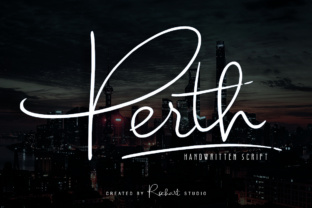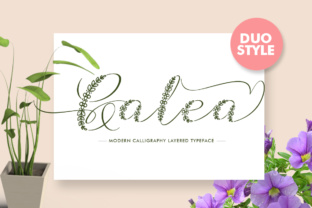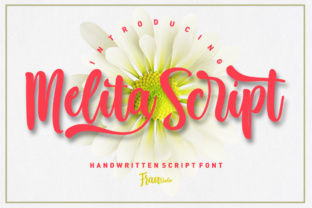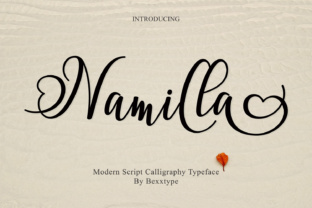
Malicute Script: A Modern Calligraphy Font for Elegant Design
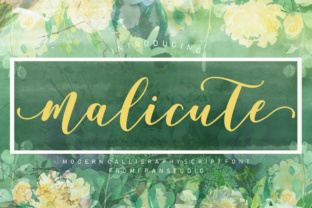
If you're looking for a font that adds a touch of sophistication to your digital or print projects, Malicute Script is worth considering. This modern calligraphy font features smooth lines and a varying baseline, giving it a natural, hand-written feel. Whether you're designing a logo, crafting wedding invitations, or creating a signature for your website, Malicute Script can elevate the visual appeal of your work with its elegant and classic style.
What Makes Malicute Script Unique?
Malicute Script stands out because of its clean, flowing strokes and subtle variations in the baseline. Unlike many other script fonts that can appear too rigid or overly ornate, Malicute Script maintains a balance between elegance and readability. It’s designed to mimic the look of handwriting without sacrificing clarity, making it suitable for both decorative and functional use.
The font’s versatility is one of its greatest strengths. Its soft curves and graceful ascenders give it a timeless quality, while its structure ensures that even long passages remain legible. This makes it ideal for a wide range of design applications, from small personal projects to large-scale commercial branding.
Where Can You Use Malicute Script?
The uses for Malicute Script are numerous and varied. Here are just a few scenarios where this font shines:
- Logos and Branding: The font's elegant appearance makes it perfect for logos, especially for businesses that want to convey a sense of refinement or creativity. Whether you're starting a boutique, a design studio, or a lifestyle brand, Malicute Script can help your brand stand out.
- Wedding Invitations: If you're planning a wedding, using Malicute Script on your invitations can add a romantic and personal touch. The font’s flowing lines and classic feel are well-suited for cards, RSVPs, and other wedding-related materials.
- Headings and Titles: In web design or print media, using Malicute Script for headings or titles can draw attention and create a visually appealing hierarchy. It works especially well when paired with simpler sans-serif fonts for body text.
- Signatures and Monograms: For personal or professional signatures, Malicute Script offers a stylish alternative to traditional serif or sans-serif fonts. It’s also great for monograms, adding a personalized flair to business cards, letterheads, or social media profiles.
- Blog Posts and Articles: Bloggers and content creators can use Malicute Script to enhance the visual appeal of their posts. It’s particularly effective for section headers, pull quotes, or as a title font for featured articles.
Who Benefits from Using Malicute Script?
Malicute Script is useful for a variety of users across different industries and creative fields. Here are some examples of how different people might benefit from using this font:
Freelancers and Designers: Freelance designers often need a versatile font that can be used across multiple projects. Malicute Script provides a refined aesthetic that can be adapted for various client needs, from branding to web design.
Entrepreneurs and Small Business Owners: Entrepreneurs looking to build a strong brand identity can use Malicute Script for their logos, marketing materials, and packaging. The font helps convey professionalism and attention to detail.
Bloggers and Content Creators: Bloggers can use Malicute Script to make their content more engaging and visually appealing. It adds a personal touch to articles, making them more inviting to readers.
Educators and Publishers: Educators and publishers may find Malicute Script useful for creating visually appealing educational materials, such as worksheets, book covers, or presentation slides.
Considerations Before Using Malicute Script
While Malicute Script is a beautiful and versatile font, there are a few things to consider before using it in your projects:
- Legibility: Although the font is elegant, it’s important to ensure that it remains readable, especially in smaller sizes or when used for extended text. Avoid using it for long paragraphs or in low-contrast environments.
- Compatibility: Make sure the font is compatible with your design software or platform. Some platforms may have limitations on which fonts can be used, so it’s always a good idea to test it before finalizing your project.
- Licensing: If you’re using Malicute Script for commercial purposes, check the licensing terms to ensure that you have the right to use it in your intended context. Some fonts require a paid license for commercial use.
- Pairing with Other Fonts: To maintain a balanced and cohesive design, pair Malicute Script with complementary fonts. A sans-serif font can provide contrast and improve readability when used alongside script fonts.
Tips for Getting the Most Out of Malicute Script
To maximize the impact of Malicute Script in your designs, consider the following tips:
- Use It Sparingly: While it’s tempting to use the font everywhere, moderation is key. Reserve it for headings, logos, or special elements rather than using it for all text.
- Experiment with Spacing: Adjust the spacing between letters and words to enhance the flow of the text. Proper spacing can make a big difference in how the font looks and feels.
- Test Different Sizes: Try using Malicute Script in various sizes to see how it performs in different contexts. This will help you determine the best way to incorporate it into your design.
- Combine with Other Styles: Don’t be afraid to mix Malicute Script with other typography styles or design elements. Combining it with illustrations, textures, or color schemes can create a unique and eye-catching result.
Malicute Script is more than just a font—it’s a tool that can help you express your creativity and bring your ideas to life. Whether you're designing a logo, writing a blog post, or creating a wedding invitation, this elegant script font can add a touch of sophistication to your work. By understanding its strengths and limitations, you can use it effectively in a wide range of projects and settings.